Audio: Play
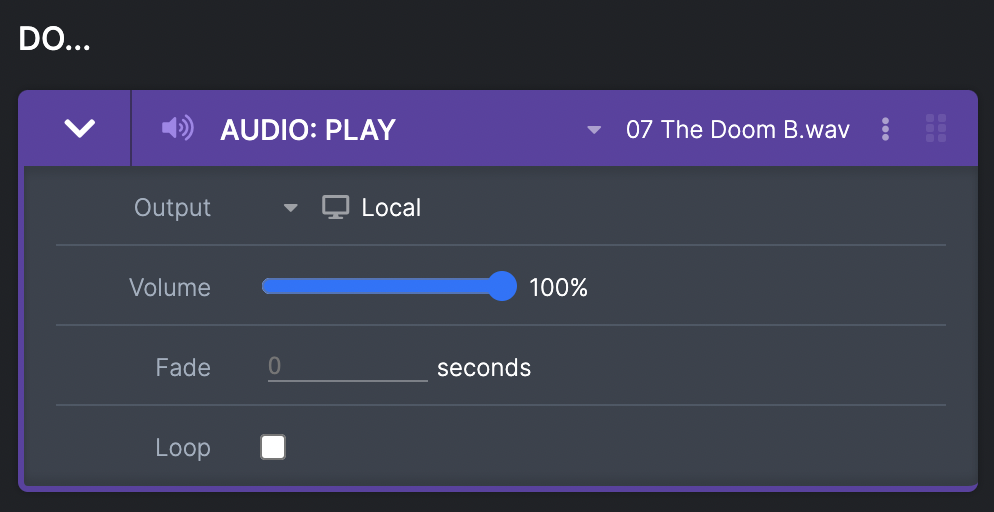
This plays a chosen audio file. You can:
- Chose the output - this is the device from which the audio will play. You can always play from the local device (that is your computer that you are running COGS on), but also from any Media Masters that you have created (whether they are virtual or paired to real hardware). If you need to test that the audio is playing from the right Media Master but you have not paired it yet see Testing Behaviours).
- Set the volume - on a slider between 0-100%. This is the volume the file will play at from the start of the track.
- Add a fade - this can fade in the audio over a chosen number of seconds to the volume you specify.
- Loop - a checkbox that means when the audio file ends, it will loop back to the beginning.
Audio: Pause
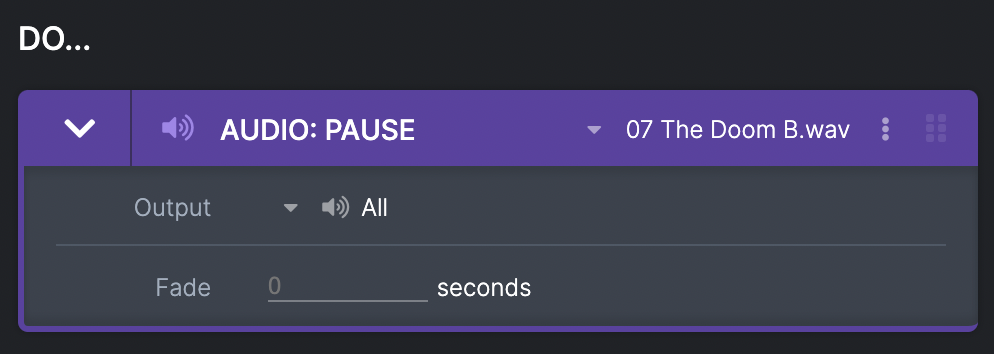
This will pause a chosen audio file. You can:
- Chose the output - that the audio will pause on, which includes all outputs. This is useful if you have the same file playing on multiple devices and you want to chose which ones to pause on, or pause all of them. If an ‘Audio: Play’ action for this file happens after this point, the file will play from the point it was paused.
Audio: Stop