About
COGS is able to connect to a specific DMX dongle that communicatse over USB from your computer running COGS and gives you one universe (512 channels).
<aside>
<img src="/icons/server_gray.svg" alt="/icons/server_gray.svg" width="40px" />
The only brand that works with COGS is:
- ENTTEC DMX USB Pro
</aside>
Connecting
- Make sure the DMX dongle is connected via USB to the same PC that is running COGS software
- DMX must also be activated as a plugin within COGS (see: The DMX Plugin )
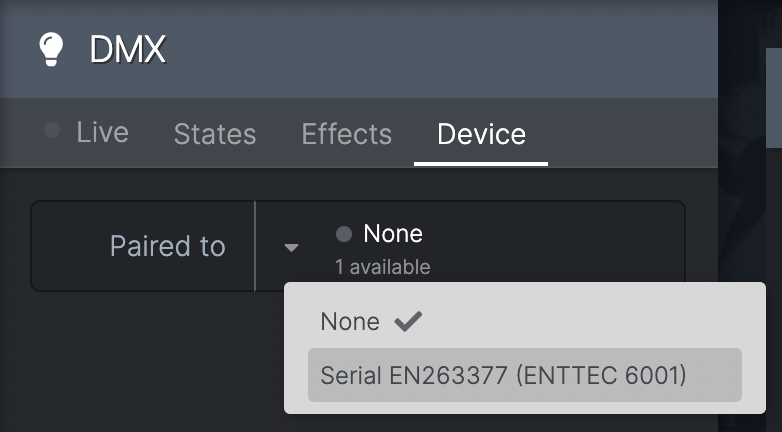
- Go to DMX-->Device
- Next to 'Paired to' it should say if any DMX dongles are available
- If any are available click the dropdown and choose the serial number of the dongle you want
- If none are available and you have connected a dongle, try a reset of the dongle
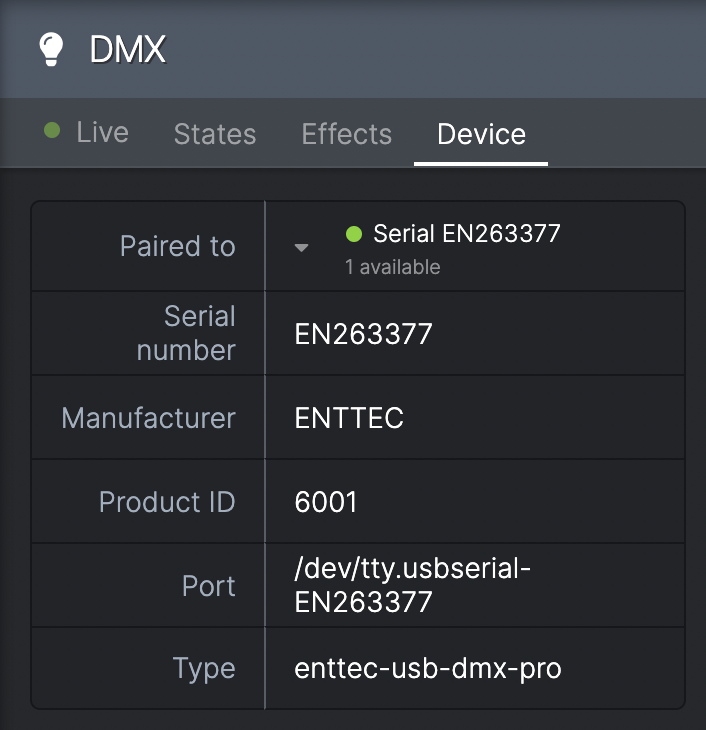
- When connected the status circle goes GREEN and some further specifics, such as the port and serial number, are displayed below
- You can now connect the dongle to other DMX devices